
Tired of missing bills and paying late fees? Here’s a simple, frugal-friendly system for organizing and managing bills so nothing slips through the cracks.

Forgetting to pay bills costs money in late fees and unnecessary stress.
Digital billing has made tracking due dates trickier for many of us.
Personally, I rely on visual reminders — out of sight often means out of mind. Bills tucked away in an overflowing inbox are easy to lose, and hidden emails make it hard to see when payments are due.
We experienced this when our local council went paperless: our notices didn’t reach my inbox despite multiple phone calls and checking details. The missing notices cost us time and worry — if I hadn’t checked proactively, the penalties would have added up significantly over the years until the issue was resolved.
If you need visual cues or redundant notifications so you’re not caught out by missed electronic delivery, here’s the system I use to manage bills and ensure nothing is overlooked. It helps when messages land in spam or when a provider’s delivery fails.
Disclaimer: This is general information only. I share my personal savings and budgeting experiences and what works for our household. Consult a qualified financial professional for personalized advice.
My System for Managing the Bills
This is what works for me and my household.
Since the first version of this post in 2009, the system has evolved. Many providers now offer apps and bill notifications, which can be useful. I could rely on bank alerts or provider reminders, but I prefer a system I control so an app change or missed notification can’t catch me out.
Call it being cautious, but that control has saved me from missed payments more than once.
Where All My Bills Go (and Why)
I have all household bills sent to a single email address so everything is in one place. We’re considering a joint email account so my partner could access records if needed, but for now I act as the household CFO and manage the admin.
When a bill arrives, I move it immediately into a dedicated “Follow Up” folder. It’s out of my inbox but easy to find during my weekly review when I schedule payments. Consolidating bills into one folder reduces clutter and prevents them from getting lost among other messages.
If you use Gmail, applying a label is an easy way to create a similar folder-like system.
Scheduling Bills in My Calendar
When I receive a bill I add it to my calendar unless it’s already set up as a recurring event. For recurring bills I still spot-check the date to make sure it’s correct.
I schedule the calendar entry a few days before the actual due date. That buffer covers delays like BPAY processing times and reduces the chance of late payments.
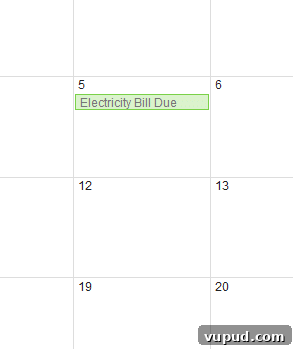
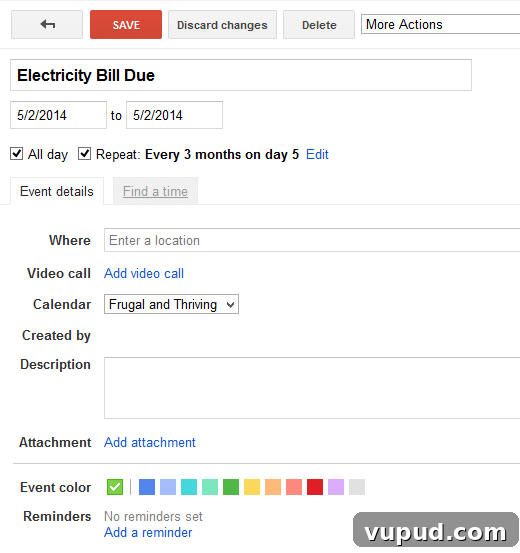
For regular bills I create recurring calendar events. Google Calendar lets you attach PDFs to events, which is handy, though I often rely on my “Follow Up” email folder for storing the invoice instead.
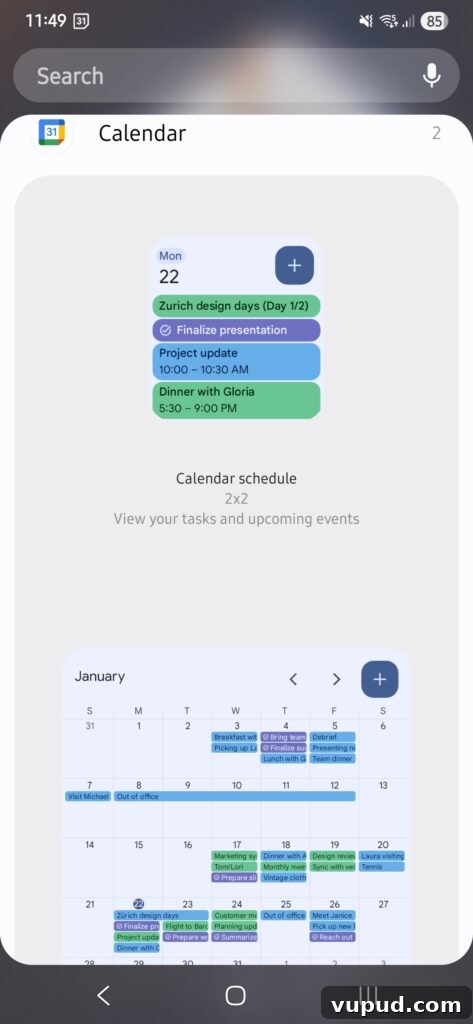
Even if you’re not a heavy calendar user, adding bills to a calendar is fast, searchable, and offers an at-a-glance view of what’s due. I use a full-month Google Calendar widget on my phone home screen so upcoming payments are always visible.
Paying Bills and Keeping a Record
I usually pay bills manually rather than automating everything. Paying manually keeps me aware of due dates, helps with cashflow management, and gives me the chance to spot billing errors before they’re processed.
For example, our council missed charging for recycling for a period, and we later had to backpay several years. Checking every bill first helped me catch that and other issues.
After I pay, my internet banking provides a receipt or transaction reference. I copy that reference into the calendar entry for that bill’s date. That way, if I later wonder whether I paid, I can check the calendar quickly instead of digging through banking records.
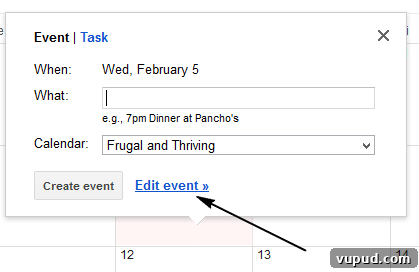
I find it useful to update the calendar event title from “Bill Due” to “Bill Paid” for that instance. It’s a quick visual confirmation of what’s been completed.
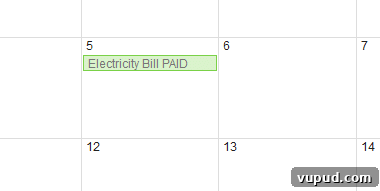
Keeping the receipt number and a record in the calendar has saved me from disputes and unnecessary follow-ups. After payment, I move the email from “Follow Up” to a “Bills Paid” folder so I have a chronological archive of payments.
That archive proved invaluable during a long-running dispute about shared water usage in our townhouse complex: I was able to produce many years of bills to show there hadn’t been a sudden increase in usage.
A Note on My Weekly Review
In the past couple of years I started a weekly review routine to batch admin tasks and keep things manageable. With teenagers and more ongoing admin, batching bills into a single weekly session prevents tasks from spreading into every day.
Each Sunday I review upcoming bills, pay what’s due, check our budget, clear out the inbox, update meal plans and grocery lists, and prepare for the week. Non-urgent items are placed in the “Follow Up” folder and cleared during this review.
This weekly habit prevents small admin tasks from piling up and ensures bills are handled consistently.
With an accounting background, I’m particular about maintaining good internal controls and clear, retrievable records — even if they’re paperless. Consistent record-keeping and a simple workflow make resolving questions or disputes much easier later on.
This approach may not suit everyone, but it has kept our household organized and late-fee free for years. For me, that peace of mind is invaluable.
How do you manage your electronic bills? Share your best tips in the comments below.